

Free Admin Dashboard HTML Templates: How to Choose One That Is Actually Good
In this article
A quick search for a free admin dashboard HTML template returns hundreds of results, and most of them look good in a screenshot. The difference shows up a week into your project, when you discover a restrictive licence, a dependency you cannot update, or pages that fall apart on a phone. This guide gives you a short, practical way to judge a free dashboard template before you build on it.
What a good free admin dashboard template includes
Start with the basics. A dashboard template is only useful if it gives you the screens a real product needs, not just a single pretty overview page. Look for:
- More than one page. An overview, a table-heavy page, a settings page, a login screen and an error page are the minimum for most projects.
- Working charts. Static images of charts are no help. You want charts you can feed with your own numbers.
- Real UI components. Dropdowns, modals, tabs, toggles, toasts and forms, built so they behave correctly with the keyboard as well as the mouse.
- Responsive layouts. Dashboards are often opened on laptops and tablets, and sometimes on phones. Tables and navigation should adapt.
- Dark and light mode. Many users expect a theme switch, and adding it later is more work than starting with it.
Check the licence before anything else
"Free" does not always mean the same thing. Before you download, find the licence and answer four questions:
- Can I use it in commercial projects?
- Can I use it for client work, and how many projects?
- Do I have to credit the author, and where?
- Am I allowed to redistribute the files? (Usually not, and that is reasonable.)
If a template has no clear licence, treat it as unusable for anything you will be paid for. A short licence in plain English is a good sign.
Look at the code, not only the screenshot
Open the files before you commit. A few minutes of reading tells you a lot:
- Dependencies. Does the template pull in jQuery, a large UI framework and five plugins for a handful of components? Fewer dependencies mean fewer things to update and fewer security reviews. Plain HTML, CSS and JavaScript is the easiest to maintain.
- CSS variables. If colours, fonts and radii are defined as CSS variables, you can restyle the whole dashboard by editing a few lines.
- Structure. Pages should share one stylesheet and one script, not repeat large blocks of inline code.
- Readable markup. Meaningful class names and a logical page structure make the template far easier to turn into your own components later.
Test it on a phone and in dark mode
Resize the browser to phone width and click around. Check that the navigation collapses sensibly, tables scroll rather than overflow, and buttons are large enough to tap. Then switch to dark mode, if the template offers it, and look for text that becomes hard to read or charts whose colours clash with the background.
Free or premium: when is it worth paying?
A free template is a good fit for prototypes, internal tools and learning. A premium one earns its price when you need breadth, polish and support. This table summarises the usual differences.
| Question | Free template | Premium template |
|---|---|---|
| Number of pages | Usually 3 to 10 | Often 15 or more, with realistic workflows |
| Design depth | One style, basic components | Consistent system, many components |
| Licence | Varies, read it carefully | Clear commercial terms |
| Updates and support | Often none | Usually included |
| Best for | Prototypes and learning | Client work and products |
A 10-point evaluation checklist
- The licence allows commercial and client use.
- There are at least five distinct pages, including login and settings.
- Charts work with your own data.
- The layout works on a phone.
- Dark mode, if offered, is readable.
- Dependencies are few and clearly listed.
- Colours and fonts are CSS variables.
- The files are organised in a sensible folder structure.
- Pages load quickly without console errors.
- You can see a live demo before downloading.
Try Kite, our free dashboard template
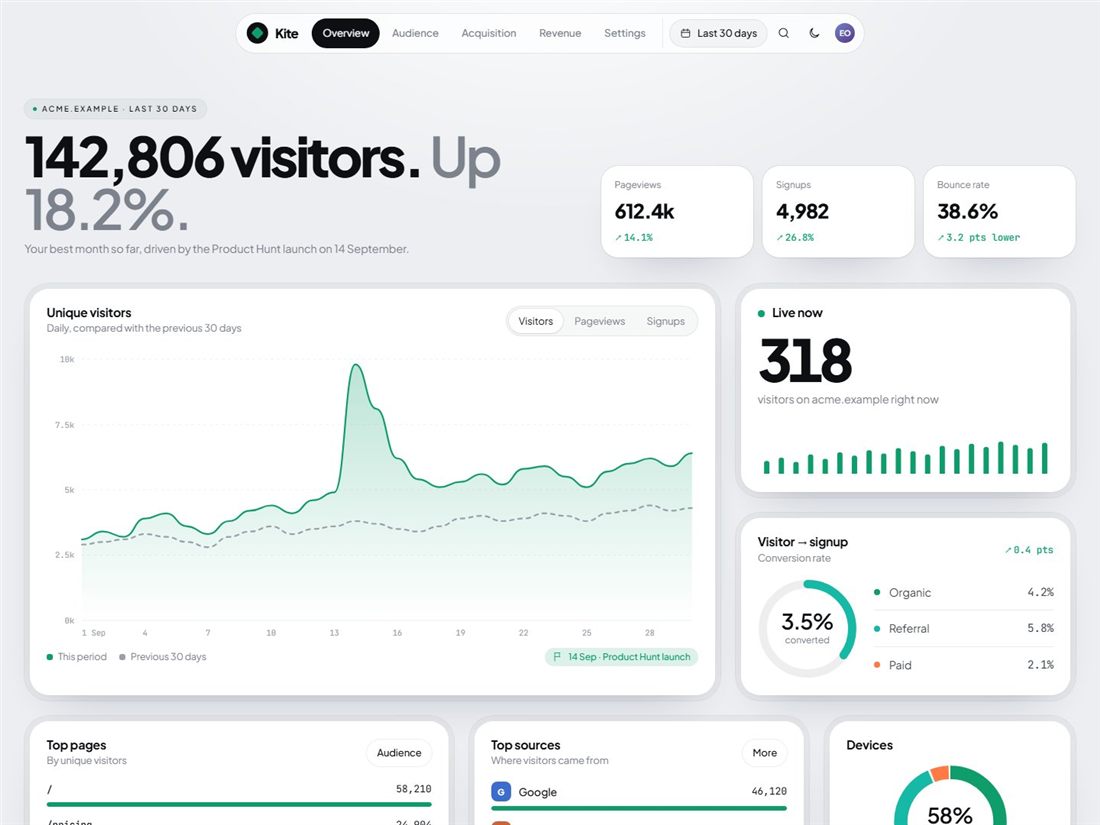
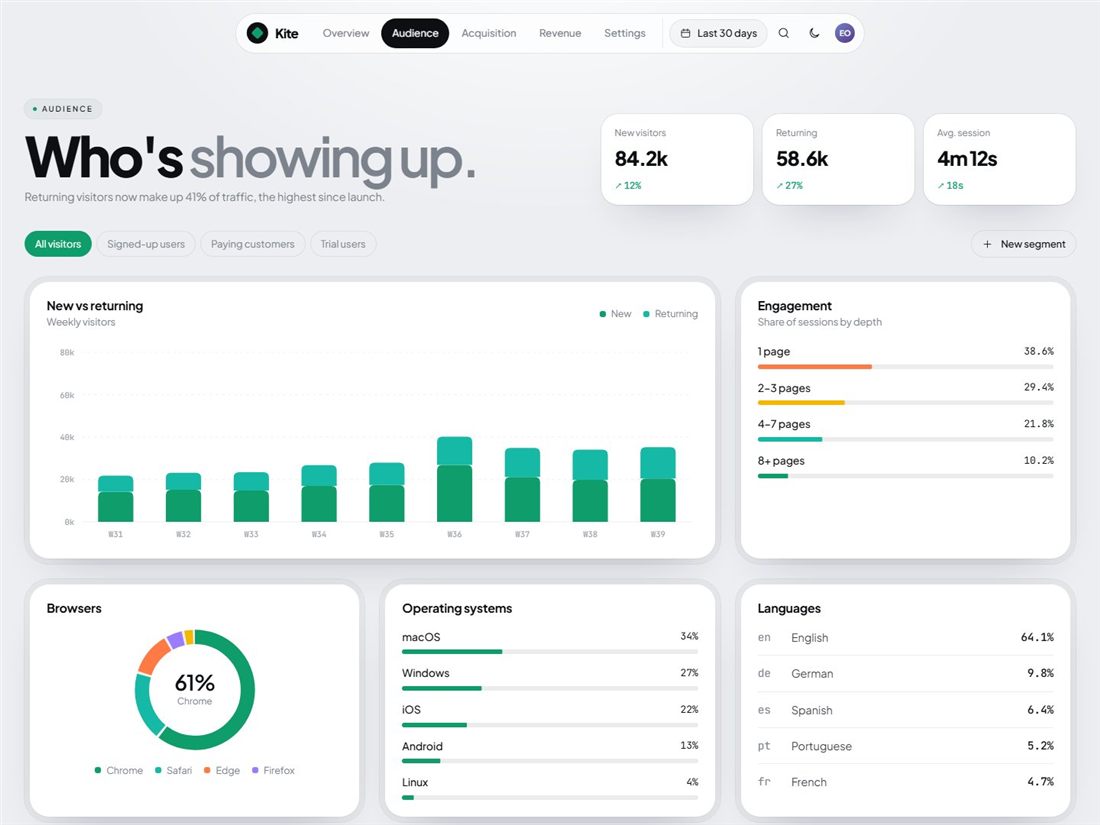
We built Kite to meet that checklist. It has 9 pages (overview, audience, acquisition, revenue, settings, login, sign-up, privacy and a 404 page), interactive charts with no chart library, dark and light mode, and a clear licence that allows personal, commercial and client projects. You can open the live preview first, then download it free.
If your project needs more screens, our premium admin dashboards cover fintech, analytics, project management, e-commerce and logistics, each with 15 pages or more.
Ready-made templates for your next project
HTML website templates, admin dashboards and editable business templates, with live previews and instant download.