

Web Design Proposal Template: What to Include (and Why Clients Say Yes)

In this article
A proposal is not a price list. It is the document that shows a prospective client you understood their problem, that you have a clear plan, and that working with you will be easy. A clear web design proposal template helps you write one quickly without starting from a blank page. Here is what to include, section by section.
1. A short summary up front
Busy decision-makers often read only the first page. Open with a one-page summary: the project in a sentence, the recommended option, the price, the timeline and the start date. Everything after that is supporting detail.
2. Show that you listened
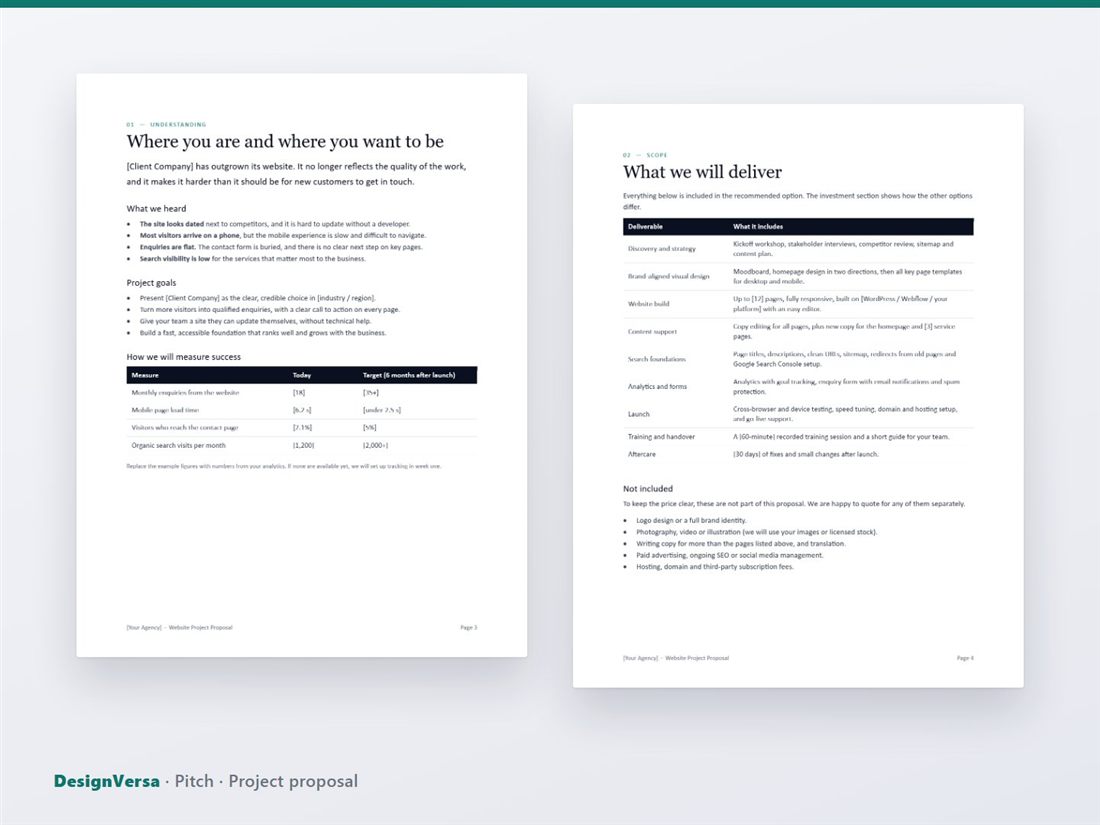
Before you describe what you will do, describe what you heard. List the problems the client mentioned in their own words: a dated site, low enquiries, difficulty updating content. This is the most persuasive part of a proposal because it proves you understand the situation.
3. Goals and how you will measure success
Tie the project to business results. A table works well: the measure (monthly enquiries, mobile load time, conversion rate), where it stands today, and the target after launch. If analytics are not available yet, say you will set up tracking in the first week.
4. Scope: what is included, and what is not
Be specific about deliverables: discovery, design, development, content support, launch and training. Equally important, list what is not included, such as logo design, photography, hosting, or ongoing SEO. A clear exclusions list prevents most disagreements later.
5. Your process
Clients are reassured by a simple, repeatable process. Four stages are enough: discover, design, build and launch. For each stage, say what you do, what you need from the client, and what decision happens at the end.
6. Timeline
Give a realistic schedule with milestones, and state your assumptions, for example that feedback arrives within three working days and content is delivered on time. A week-by-week chart is easy to understand. See our website launch checklist to plan the final weeks.
7. Pricing: offer options
Offering three options, such as Essential, Growth and Premium, changes the question from "should we hire you?" to "which option fits us?". Show what each includes in a side-by-side table, mark the one you recommend, and add a payment schedule, for example 40% to start, 30% at design approval and 30% at launch. For help setting the numbers, read how to price a website project.
8. Proof
Add one or two short case studies with a result, a testimonial and the people who will work on the project. Real, specific results are better than general claims.
9. Clear next steps and acceptance
End with what happens next: choose an option, sign the agreement and pay the deposit, schedule the kickoff. Include a validity date for the proposal and a place to sign. If you need a contract as well, see what a freelance contract should include.

Use a template, then make it yours
A template saves hours, but the proposal should still read as written for this client. Replace the placeholder text, add specific details from your discovery call, and keep it as short as the project allows. Our Pitch proposal template gives you a nine-page structure that covers all of the sections above in Word, with a PDF example. Pair it with a service agreement and an invoice and quote kit, or browse all proposal and contract templates.
Ready-made templates for your next project
HTML website templates, admin dashboards and editable business templates, with live previews and instant download.